iOS 27.2 adds Shortcuts automations and multilingual web access
Apple’s 27.2 software updates add Shortcuts automations, editing improvements and expanded language support for the app’s “Use Model” action. The updates shipped on October 26, according to ithinkdiff.com.
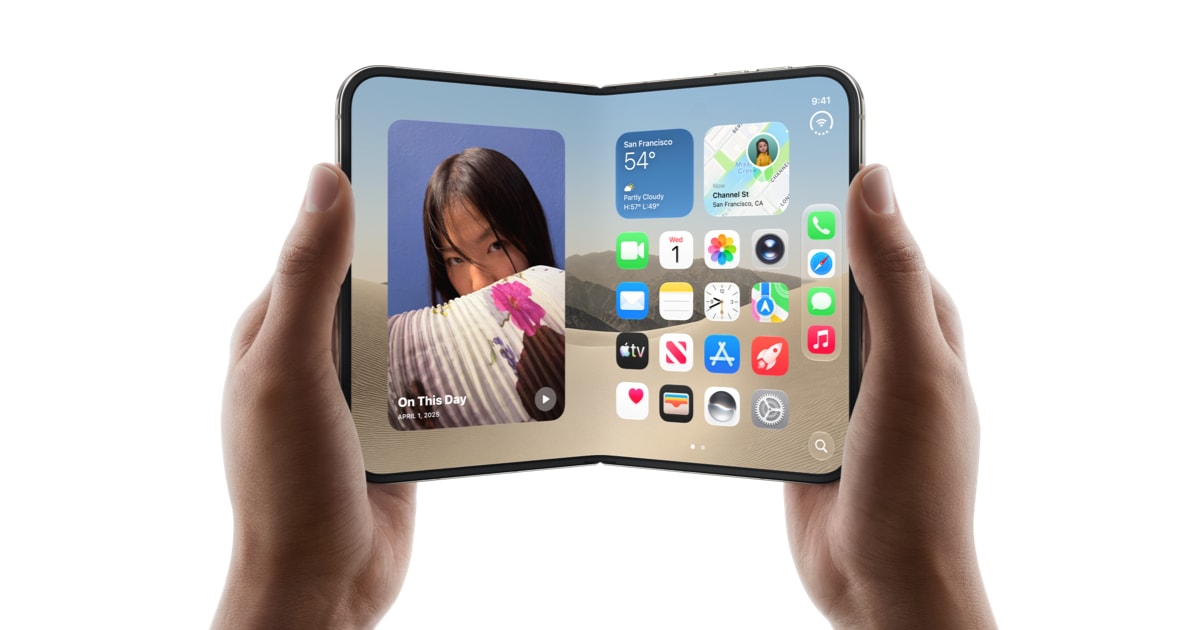
Key takeaways · 4
- 01
The 27.2 updates shipped October 26 and include new automations and shortcut-editing improvements.
- 02
An iPhone Duo automation can run a shortcut when the phone is unfolded or folded shut.
- 03
The “Use Model” action adds web-information retrieval in five languages beyond English.
- 04
The updates cover iOS, iPadOS, macOS, watchOS and visionOS.
A broader set of Shortcuts changes
Apple’s update notes describe new automations, enhanced actions and improvements to editing shortcuts.[2] The changes are part of the 27.2 updates for iOS, iPadOS, macOS, watchOS and visionOS.[1] Apple’s documentation lists features that apply to particular platforms, rather than presenting every change as available everywhere.[2] For teams or individuals who maintain shortcuts across Apple devices, check which platform a feature supports before building it into a workflow. The update shipped October 26.[1]
A fold-aware trigger for iPhone Duo
One new automation is labeled “When my iPhone is opened or closed” and is associated with iPhone Duo.[2] It runs a shortcut when the phone is unfolded or folded shut.[1] People considering workflows for the device can treat the fold and unfold events as possible starting points, while deciding which shortcut actions are useful to them.
More triggers and language options
Apple expanded the Shortcuts workout trigger to support the Fitness app on iOS, iPadOS and watchOS.[2] It also updated the app automation so it can provide the name of an app that was closed; Apple lists that automation on iOS, iPadOS and macOS.[2] Separately, the “Use Model” action can retrieve up-to-date web information in French, Japanese, Korean, Portuguese and Spanish.[2][3] The feature had previously been limited to English.[3] The language expansion may help people build shortcuts for these languages, but the evidence does not specify further language capabilities.
Editing differs by platform
On iOS and iPadOS, shortcut names and icons can now be edited directly from the library.[2] On macOS, users can configure window layout through the “Show Actions” and “Show Describe a Shortcut” menu items.[2] These are distinct changes for different parts of the Shortcuts workflow: one addresses how shortcuts are labeled and displayed, while the other concerns window layout on Mac.[2] Apple’s notes do not state that the same editing controls are available on every platform.[2] Review the relevant platform details before adapting instructions or shared workflows.
The changes give Shortcuts users more event triggers and add language options to one web-enabled action. Professionals who rely on repeatable mobile workflows can assess whether a device-state, workout or app-closure trigger fits a task, while checking platform support before relying on it.
Why it matters
Bring this to your team — one session a day, built for your industry.
kju.ai is built for teams: daily sessions, team analytics, and rollout support for your organization.
For teamsHow this developed
9 November 2026
iOS 27.2 adds Shortcuts automations and multilingual web access