Google Debuts Native Gemini Mac App, Expanding AI Assistant’s Desktop Reach
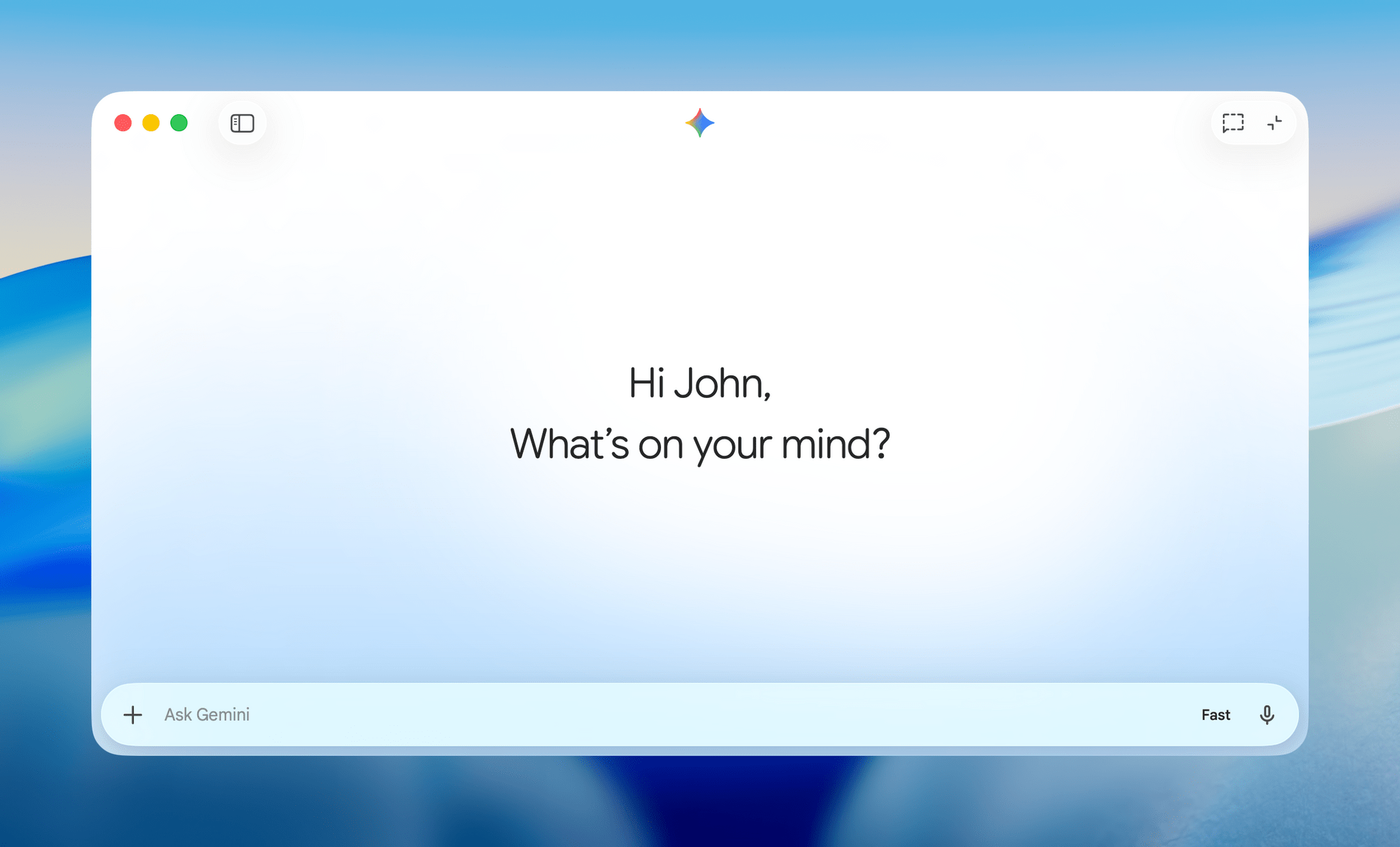
Google has launched a native Gemini AI app for macOS, offering Mac users a deeply integrated, multimodal chatbot experience with instant desktop access, robust file support, and proactive AI assistance — further cementing Gemini’s role within Apple’s software ecosystem.
Key takeaways · 5
- 01
Gemini’s Mac app allows instant access via Option + Space and supports sharing anything on-screen, including local files, to receive contextual AI assistance.
- 02
The app is a native Swift build for macOS, providing smooth performance, system-level integration, and features like chat history sync and customizable shortcuts.
- 03
Gemini for Mac is multimodal: users can generate images, videos, and music; analyze documents; code; and interact with Google Drive and Photos content natively.
- 04
Google positions Gemini as a foundational layer for future AI-powered Apple features, signaling deeper collaboration and longer-term OS-level integrations.
- 05
With rival apps like ChatGPT and Claude already present, Gemini’s launch escalates the AI assistant race on desktops, emphasizing productivity and creative workflows.
A Native Gem for macOS Ecosystem
Google’s new Gemini Mac app represents a milestone in cross-platform AI utility, finally granting Apple desktop users a full-featured, always-available AI assistant outside the web browser. Unlike previous Gemini web interfaces or browser tabs, the native app launches instantly using the Option + Space keyboard shortcut, making it as accessible as macOS Spotlight or native search bars [2][4]. With this move, Google aims to plant its AI assistant firmly into daily Mac workflows, positioning Gemini not just as a chatbot but as a “proactive and powerful desktop assistant.”
The app’s development reflects Google’s strategic shift toward deep OS-level integration, leveraging a 100% native Swift build for optimal performance and UI consistency on Mac [3][7]. Initial user feedback highlights the advantage of synergies—users can rapidly invoke Gemini, use floating chat bubbles, or access the full chat window, tailoring interactions to context without leaving their workflow [2][8]. The entire Gemini experience, from chat history to generated files and previous media, syncs seamlessly across devices through the user’s Google account, underscoring to Mac users that this is more than a simple port.
Deep Context and Multimodal Capabilities
What sets Gemini’s app apart is its ability to draw context from what users are currently viewing or working on. Mac users can share a window, screen region, or even local files—spreadsheets, PDFs, images, or charts—directly with Gemini, then request instant analysis, summaries, code insights, or creative assistance [1][4][10]. For example, a user reviewing a data-heavy report can ask Gemini for the biggest takeaways or have the AI draft summaries for complex articles on the spot, integrating AI support fluidly into ongoing tasks.
Gemini on Mac is also fully multimodal. Beyond text, it enables creative tasks like generating images via Nano Banana, making videos with Veo, composing music, and handling uploads from Google Drive or Photos natively [4][5][7]. These capabilities are surfaced through an array of tools—Canvas, Deep Research, Guided Learning, and the “Personal Intelligence” submenu—which expand the app’s use cases from research and coding to content creation and brainstorming [10][7]. As a result, the app appeals not just to casual users, but also to developers, analysts, and creative professionals seeking a powerful all-in-one AI workspace.
Swift, Seamless, and Customizable
From a technical perspective, Google’s emphasis on a native Mac experience is central to Gemini’s competitiveness. The app is written entirely in Swift, Apple’s primary language for macOS app development, promising speed, low latency, and better resource handling than a browser-based solution [3][7]. User customization options abound: both the floating mini chat and main window shortcuts can be adjusted, users can select visual and audio preferences, and even choose voices for Gemini’s voice-read responses.
The interface mirrors Gemini’s web client but leverages macOS features such as the Menu Bar for quick access, Dock integration, and notifications. All core AI modalities (text, image, code, and generative media) are tightly woven into the app, and chat history syncs with Google’s servers to allow seamless transition between mobile, web, and desktop environments [4][6]. This design ensures professional and power users can build habits around Gemini that surpass the limits of web-only tools, supporting both on-the-fly needs and in-depth sessions.
Cross-Platform Ambitions and Apple Partnership
The Gemini Mac app’s release is both a strategic expansion and a signal of Google’s ambitions to become foundational across ecosystems. Available globally for macOS version 15 (Sequoia) and up, the app marks one of the few times Google has launched a major productivity tool on Apple platforms ahead of many other vendors [1][10]. Uniquely, Google and Apple recently announced a multi-year partnership to integrate Gemini models as the engine behind forthcoming “Apple Intelligence” upgrades—including major Siri enhancements slated for later this year [3][5].
This collaboration positions Gemini as the “most capable foundation” for next-generation AI experiences on Apple devices, not just for end users but as a core OS layer. It also hints at more direct competition between Apple’s own generative ambitions and Google’s proven, scalable models [3][9]. As Apple’s delayed, personalized Siri revamp gears up for public launch at WWDC 2026, it’s clear both companies are betting that AI assistants will be at the heart of desktop and device interaction, with Google seeking a long-term foothold in the Apple software stack.
Competitive Pressures and the Future of AI on Desktop
Gemini’s Mac debut enters a desktop AI assistant landscape already populated by powerful rivals. OpenAI’s ChatGPT for Mac and Anthropic’s Claude have both touted features like on-screen context and task automation, and some go further by actively performing actions on behalf of users [2][3]. By introducing deep content awareness (via window sharing and file inspection), a robust multimodal suite, and tight ecosystem integration, Google raises the stakes for all players in this rapidly evolving field.
Industry observers note that Google is already teasing future updates, with features such as expanded proactive intelligence, more personalized workflows, and system-level actions likely to arrive over the coming months [4][5][10]. For users, this escalating competition is poised to deliver richer, more adaptive AI—moving from simple Q&A chatbots to productivity engines and creative partners embedded natively within everyday software environments.
Early Adoption, Accessibility, and the Road Ahead
Gemini for Mac is available as a global free download for macOS 15 and newer, with broad language and regional support out of the gate [1][8][9]. Early reactions praise its stability, cross-device sync, and the real productivity gains from integrating AI directly into desktop workflows without disruptive browser switching. The availability of instant chat history, file/context sharing, and AI-powered creativity tools places Gemini a step above simple web wrappers.
Looking ahead, the Gemini app will serve as a testbed for Google’s longer-term vision around seamless, proactive AI—one not confined by device boundaries or browser tabs. For AI practitioners, the implications are clear: the future of assistants on Mac and beyond will be defined not just by model performance, but by how deeply and usefully they integrate into real-world, cross-platform workflows [3][7][10]. The Gemini app’s launch sets an early benchmark for competitors—and will likely accelerate the emergence of AI-infused, context-aware desktop experiences across the industry.
Google’s Gemini Mac app launch ramps up the competition for AI-powered desktop assistants, signifying a fundamental shift toward directly embedding generative AI into core productivity workflows. For practitioners, this highlights the accelerating convergence of AI models, native OS features, and human-computer interaction, opening the door to new use cases—and new risks—around privacy, usability, and platform control in a multi-assistant world.
Why it matters
Test yourself on this story — 4 questions.
Create a free account to take the quiz, earn XP, and get a daily session built for your industry.
Take the quizSources
- Google rolls out a native Gemini app for MacAI News & Artificial Intelligence | TechCrunch
- Google launches a Gemini AI app on MacAI | The Verge
- Google launches Gemini AI Mac app, here's what it offers - 9to5Mac9to5mac.com
- Google launches native Gemini app for Mac9to5google.com
- Google unleashes a native Gemini app for the Macengadget.com
- Google Launches Native Gemini AI App for Mac - MacRumorsmacrumors.com
- Google Releases Gemini for Mac - MacStoriesmacstories.net
- Gemini App Arrived on Your Macdroid-life.com
- Gemini pushes further into Apple territory with a new Mac app - Android Authorityandroidauthority.com
- The Gemini app is now on Mac - Google Blogblog.google